
Calm project collaboration for teams and their clients.
One calm place for projects, people and clients
Sawadoo keeps a project's to-dos, cards, messages, files, schedule and chat together, and lets clients see exactly what you choose to show them.
Sawadoo is in private preview. Leave your email and we'll invite you.

Everything a project needs, in one place
Each project has its own set of tools. Switch on the ones a project needs, rename them, and add a second one when one is not enough.
Easy migration from your old platform: projects, to-dos, files and people come over in a few clicks, and nothing changes there.
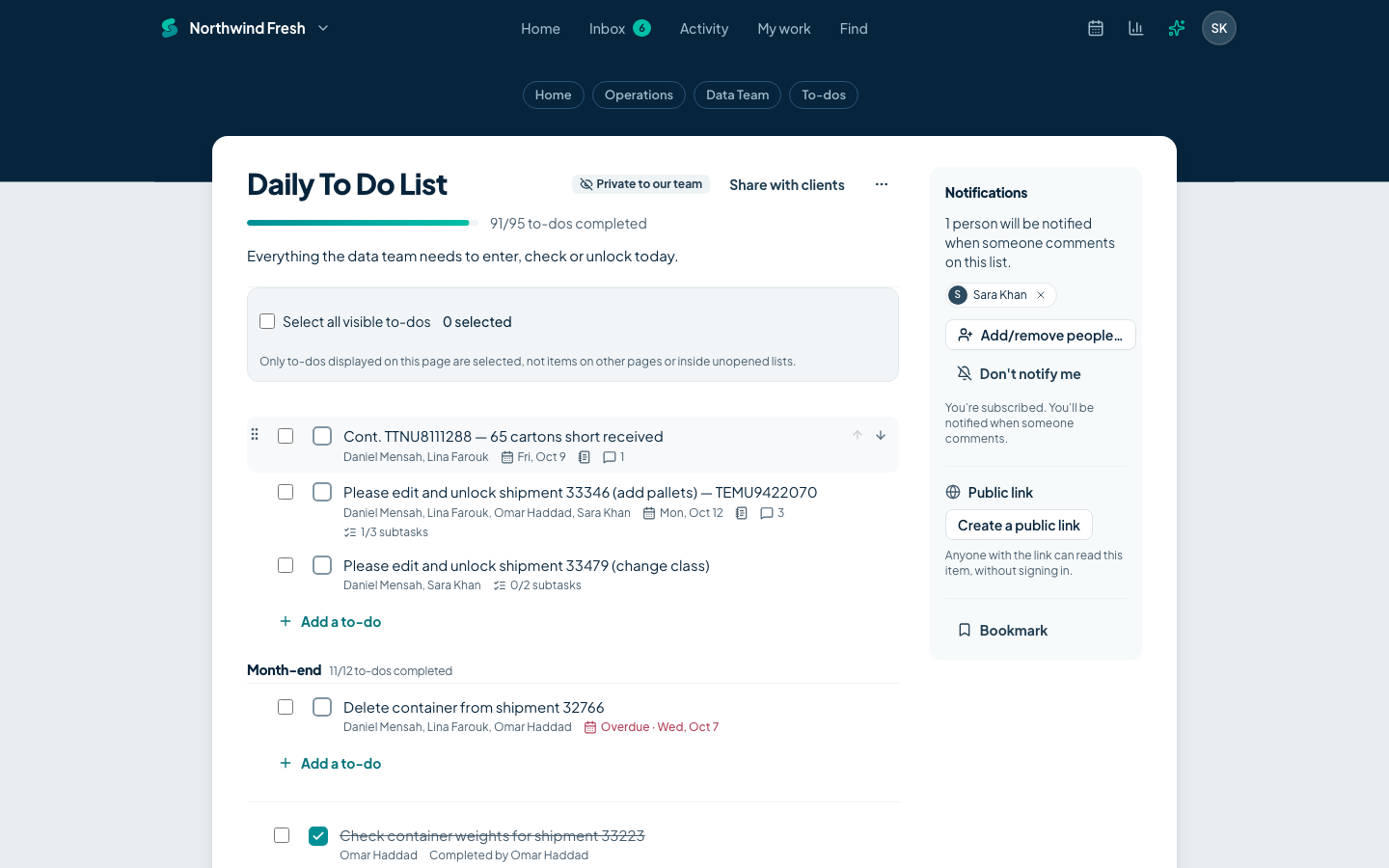
Projects and to-dos
Work that is written down gets done
Break a project into to-do lists, group them, and assign each to-do to one person or several. Everyone sees what is due, who has it and how far the list has come.
- Assign to people or whole groups, with a due date or a date range
- Notes, attached files, comments and a notice when a to-do is completed
- Progress on every list, and reports for overdue, upcoming and unassigned work
Boards
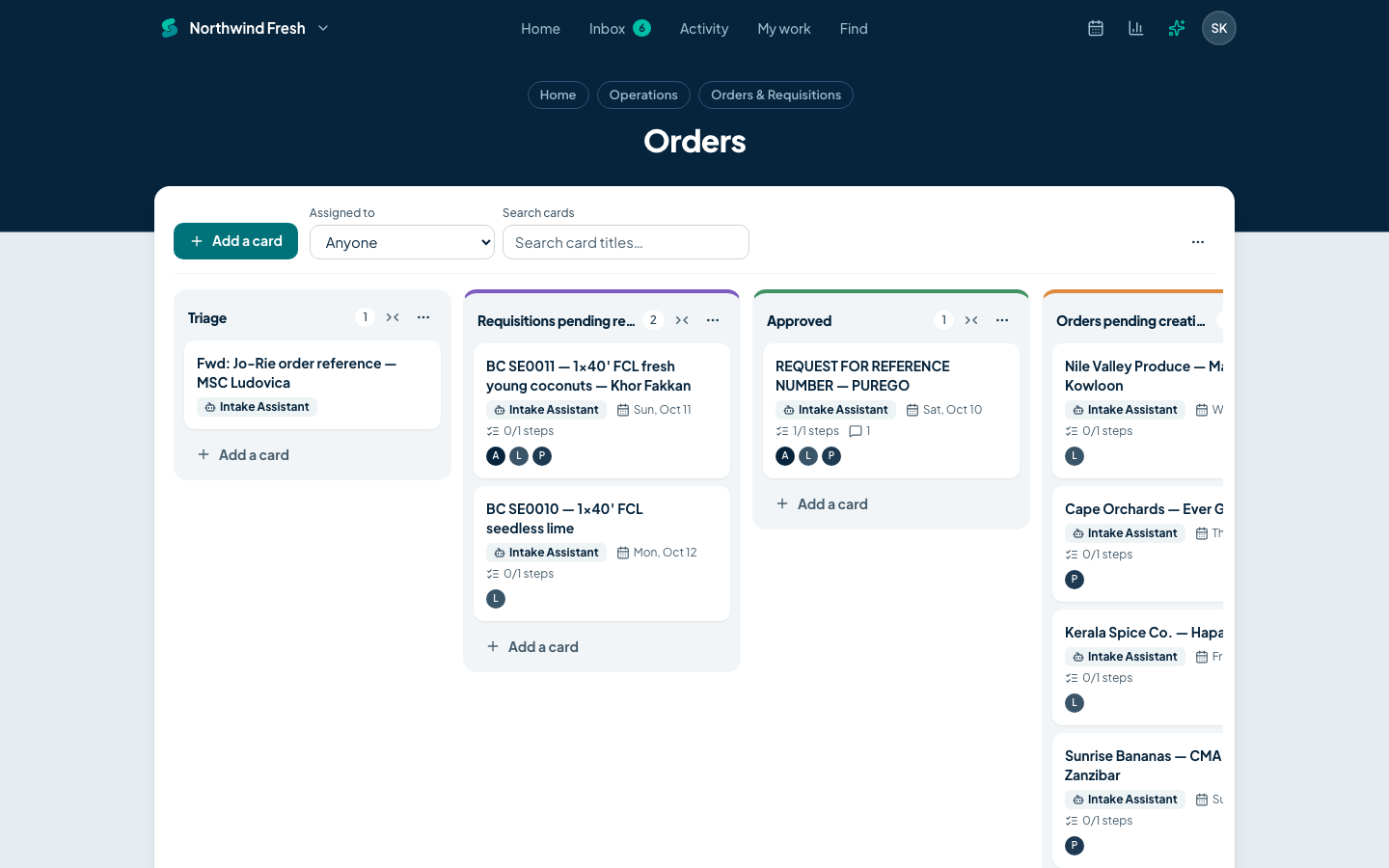
See where every request stands
A board moves work through stages you define. New cards land in Triage, move through your own columns, and finish in Done, or wait in Not now.
- Your own columns, with colours and an on-hold area in each
- Steps inside a card, each with its own assignee and due date
- Drag cards between columns; every move is recorded in the activity feed
Message board and files
Decisions and documents that stay findable
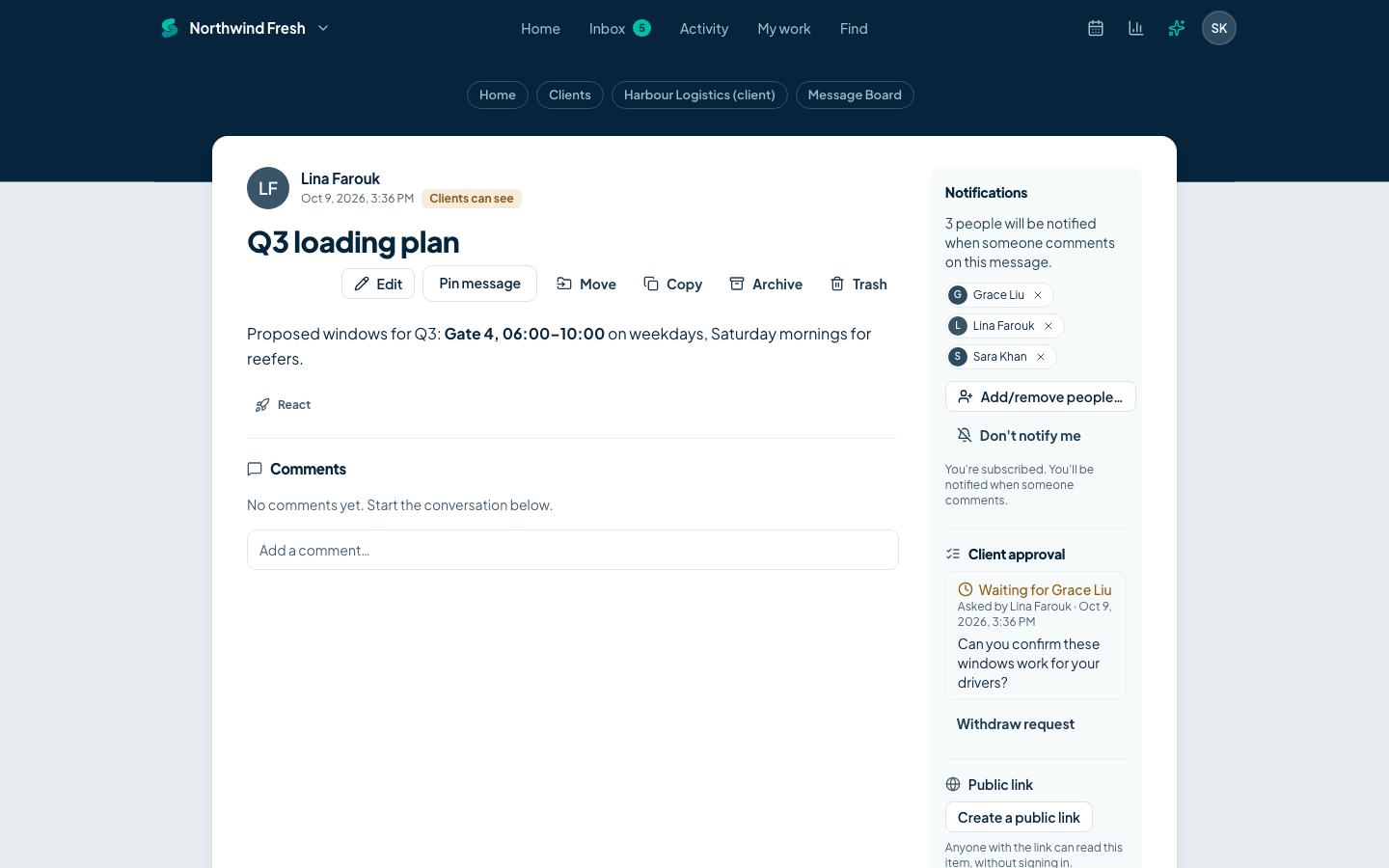
Post announcements and questions as messages with categories instead of long email threads. Keep documents and files next to the work, in folders, with version history.
- Message categories, pinned messages, comments and reactions
- Documents with version history; uploads with image and PDF preview
- Search across projects, filtered by project, tool, person and time
Chat and check-ins
Quick questions without another app
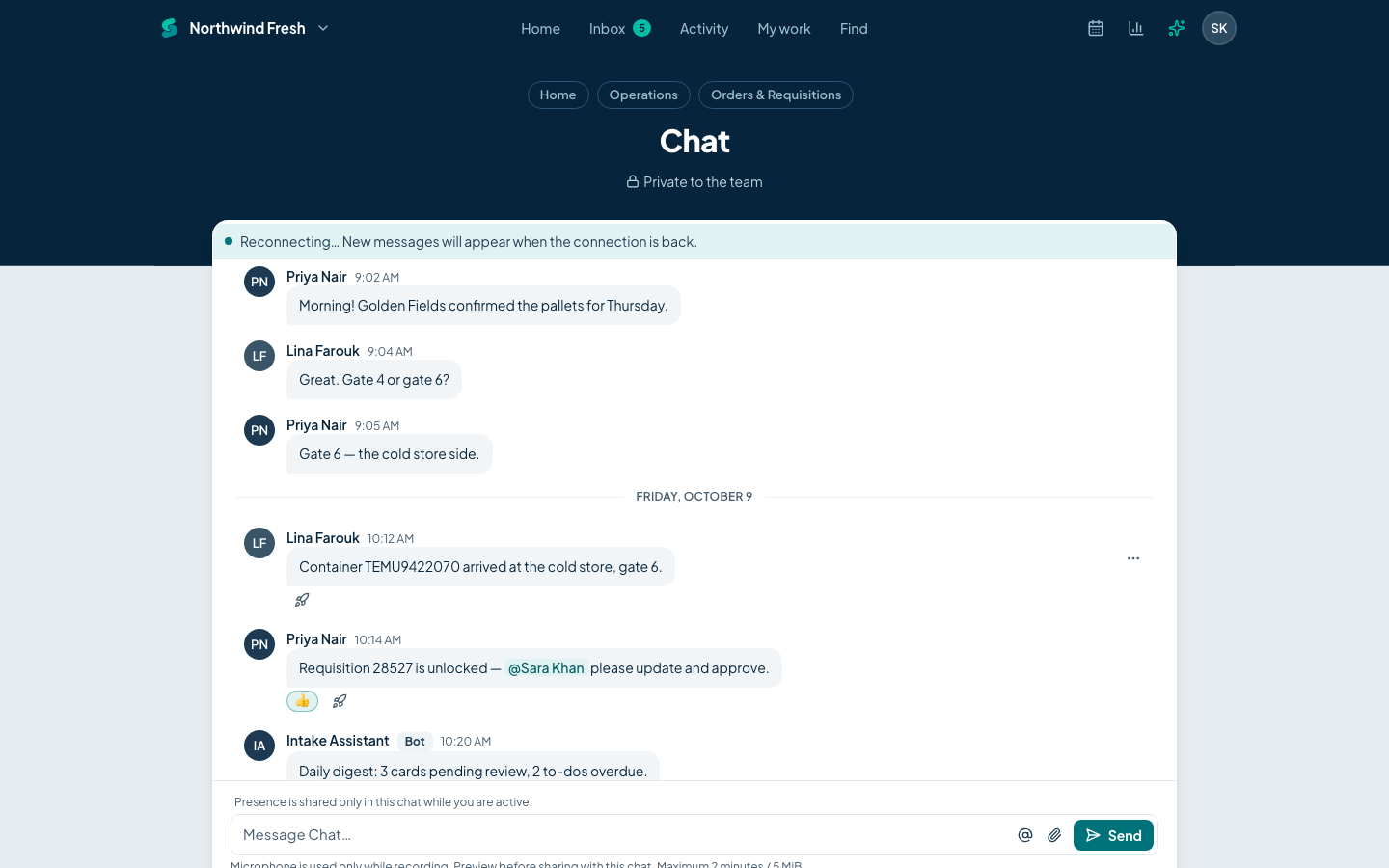
Every project can have a chat room. Direct messages are private conversations with one person or a small group. Check-ins ask a question on a schedule and collect the answers in one thread.
- Live delivery, mentions, reactions and attachments
- Check-in questions on the days and time you choose, in each person's time zone
- Quiet hours hold notifications outside each person's working hours
Client access
Bring clients in, and decide exactly what they see
Invite clients to a project without exposing internal work. A permission profile sets what each client may do, and anything not marked visible to clients stays hidden everywhere: lists, search, counts, notifications and the API.
- Viewer, Commenter and Contributor profiles, or your own set of switches
- Choose per project which tools clients can open
- Access that ends on a date you set
- Preview a project as a client before you invite them
- Ask a client to approve an item, and keep the answer on record
AI assistant and agents
Ask your workspace
The assistant answers questions about your projects in plain language and links every answer to the items it came from. It sees only what you can see.
- Answers with links to the to-dos, cards and messages behind them
- Changes are shown as a preview and made only after you confirm
- Optional agents turn forwarded emails into cards and write a daily digest
- Monthly allowances per plan, your own AI key for no limits, and an off switch for each account

Email in
Forward an email, keep it with the project
Each project can have its own address. Mail sent or forwarded to it is filed in the project with its attachments, where the team can discuss it and reply to the sender.
- A private address per project inbox
- Reply to the sender from inside the project; their answer comes back to the same thread
- Reply to any notification email and your reply becomes a comment
Example project address
orders-k7q2mx@in.sawadoo.com
API and MCP
Built to be connected
Every route is documented in an OpenAPI 3.1 specification, with OAuth 2, webhooks, an MCP server and personal access tokens.
- REST API with an OpenAPI 3.1 specification generated from the code
- OAuth 2 with PKCE and device flow, and personal access tokens
- Webhooks per project, signed with HMAC and retried with back-off
- A native MCP server, so AI tools can work in your account with your permissions
- REST API
- https://api.sawadoo.com
- MCP server
- https://mcp.sawadoo.com/mcp
curl https://api.sawadoo.com/1000001/projects.json \
  -H "Authorization: Bearer ***" \
-H "User-Agent: My integration (me@mycompany.com)"Try Sawadoo with your next project
Set up an account in a couple of minutes, invite your team, and add a client when you are ready.
Request accessPrivate preview: we'll email you an invitation. Clients and guests are always free.